

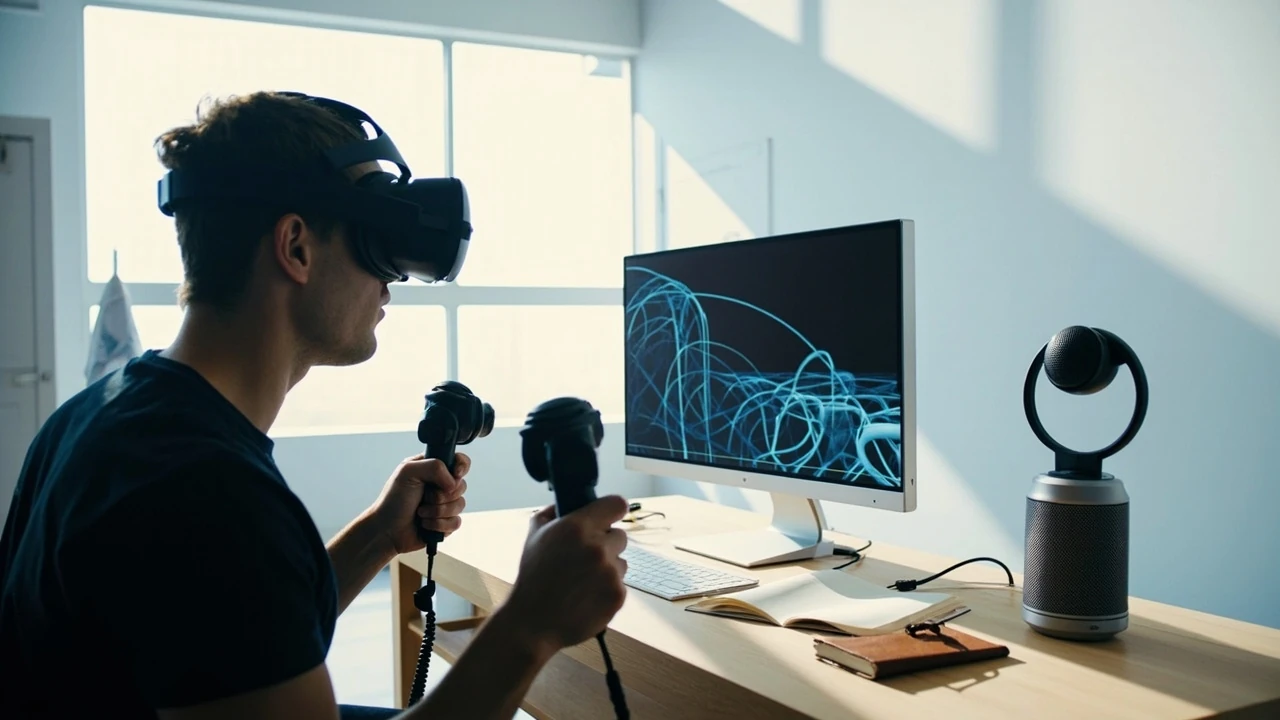
How VR game development changes the production process
A VR game must do more than place a normal game inside a headset. The player occupies a physical space, reaches with a tracked hand, turns with a headset, and often interacts with objects that appear within arm’s reach. That changes the design of movement, interfaces, animation, sound, testing, and performance work from the first prototype onward.
This guide follows the production path for an independent VR game development team. It covers the headset and controller target, spatial interaction, comfort, prototyping, asset production, audio, optimization, testing, and the handoffs needed to turn an idea into a playable build. The goal is not to promote a particular engine or headset. It is to help a technical developer, designer, or studio lead identify the decisions that determine whether the resulting experience feels controlled, readable, and comfortable.
VR game development begins with a physical relationship between the player and the virtual world. That relationship creates stricter constraints than a conventional screen-based game, but it also gives designers direct ways to build interaction. A button press becomes a grab, a menu selection becomes a physical hand movement, and a sound can appear to come from a believable position in the room.
The path to VR game development identifies programming, asset creation, sound design, testing, and optimization as central skill areas. It also describes a useful production sequence: define the concept, prototype the core mechanic, test it, and refine the experience.
Choose the target hardware before designing the full game
Choose a specific headset, controller model, and performance target before committing to an interaction-heavy design. A VR feature that feels comfortable on a desktop simulator may behave differently on the intended device because of tracking behavior, controller layout, field of view, display characteristics, available compute, and the player’s physical surroundings.
A useful hardware brief answers more than “Which headset do we support?” It should identify the device family, expected operating environment, target display refresh rate, available input methods, tracking volume, battery or tethering constraints, and deployment method. It should also state whether the team intends to support standalone headsets, tethered PC headsets, or both.
| Target decision | What the team should specify | Why it affects production |
|---|---|---|
| Rendering platform | Standalone headset, tethered PC, or both | Determines the performance budget, build pipeline, and available rendering features. |
| Input model | Headset, controllers, tracked hands, or platform-specific devices | Shapes interaction design, animation, UI, and fallback behavior. |
| Tracking environment | Seated, room-scale, or mixed movement | Influences level layout, collision, locomotion, and safety space. |
| Visual target | Preferred resolution, refresh behavior, and art direction | Connects asset density and lighting choices to measurable frame-time limits. |
| Deployment | Store, sideload, enterprise distribution, or headset launcher | Changes review, build signing, update, and support responsibilities. |
Do not treat a broad headset family as a single target. Controller layouts, input APIs, performance characteristics, and platform services can differ across devices. If the project intends broad compatibility, maintain a small device matrix and decide which features are mandatory on every device.
Build a capability matrix
A capability matrix turns an expansive compatibility goal into testable requirements. Use one row per target configuration and track both technical support and experience quality.
- Record the headset model, controller type, runtime version, and intended store or distribution method.
- Mark each required feature as supported, degraded, unavailable, or pending validation.
- Identify the minimum acceptable performance and input behavior for the target device.
- Assign an owner to device-specific art, profiling, and compatibility work.
- Retest the matrix after engine, runtime, or middleware upgrades.
Keeping this information in version control prevents a device-specific fix from breaking the primary target. A separate branch or configuration layer is often safer than a small script that silently changes shared gameplay behavior.
Design interactions around the player’s body
VR interaction should use the body as an understandable reference point. Players do not need an in-world tutorial for every action, but they do need consistent feedback about what can be touched, grabbed, aimed at, thrown, or operated. The virtual hand should behave predictably, and the effect of an action should appear at the place where the player expects it.
Begin with the smallest set of verbs the game needs. A prototype may need only point, reach, press, and release. A physics interaction may add grab, rotate, pull, and throw. Every additional verb creates requirements for animation, collision, feedback, edge cases, and accessibility.
Separate direct manipulation from abstract selection
Direct manipulation works well when the player can point at or reach the object they intend to use. Abstract selection becomes useful when many options must be arranged densely, when the content is far away, or when the player needs to change a value without physically touching a large control. Menus, radial selectors, and floating panels should therefore support the interaction rather than replace direct contact everywhere.
| Interaction | Best fit | Main production risk | Validation question |
|---|---|---|---|
| Direct hand contact | Tools, handles, switches, physical objects | Tracking errors and ambiguous contact points | Can the player predict the contact before reaching it? |
| Ray pointing | Distant buttons, targets, and spatial options | Selection under movement and visual clutter | Does the cursor remain readable during the intended action? |
| Physical UI | Simple controls, panels, and tactile tools | Hand fatigue and poor legibility | Can the interface be used with a relaxed arm position? |
| Voice | Optional commands, accessibility, and identification | Recognition errors and noisy environments | Does failure produce a clear recovery path? |
Use familiar physical cues where possible. A lever should pull, a button should depress, and a hinged object should rotate around a meaningful hinge. If the interaction breaks physical expectation, give the player immediate visual, audio, or haptic feedback that explains the new rule.
Give virtual hands a state model
Tracked hands and controllers need explicit states. A production implementation usually has to distinguish idle movement, hover, targeting, reach, contact, grasp, held, released, blocked, and disabled states. Each state should determine the visible mesh, collision behavior, audio, haptic response, and available game actions.
Keep selection and manipulation separate. A ray can identify a target, but contact should determine whether the player can actually grab it. This separation prevents a target from becoming interactive merely because the controller passes near it. It also gives designers a clean way to add constraints, such as requiring a closed hand, a two-handed grip, or a stable controller pose.
Prototype movement and comfort before content scale
Locomotion and comfort need an early prototype because they affect level design, camera behavior, interaction reach, animation, and the number of environmental effects the team can add later. Test movement with blocks and simple spaces first, then introduce the art, lighting, and interface layers that may conceal readability problems.
Compare movement options by player consequence
There is no universally comfortable movement method. A method that works for a stationary puzzle may become tiring in a long combat sequence. Compare options according to the experience they create, not only by whether they reduce visible motion.
- Stationary or seated movement removes translation but may weaken the sense of scale or physical participation.
- Physical walking supports presence in a bounded area but requires careful collision, level planning, and tracking-space management.
- Controller-directed movement adds speed and reach but must keep direction and stopping behavior predictable.
- Teleportation reduces continuous camera translation but can still produce discomfort if the transition is abrupt or orientation changes.
- Snap turning changes the view in discrete steps, so its speed, angle, and directional control need testing.
Comfort is not a single setting that can be tuned at the end. It emerges from the combination of camera movement, speed, acceleration, horizon changes, scale, animation, and the player’s ability to anticipate movement. A comfortable build also gives players control over the options that matter to them.
Do not disable every visual effect as the first response to nausea. A stable frame time, predictable camera behavior, clear direction, and player control may address the underlying problem more directly. If the team does add a comfort option, document what it changes and test whether it introduces another problem, such as unstable interaction or unclear aiming.
Build assets for the tracking and interaction budget
VR assets need more than conventional visual detail. Their scale affects interaction accuracy, their topology can affect deformation, their texture resolution competes with stereoscopic rendering, and their materials affect the cost of lighting and post-processing. The right polygon count is therefore a project decision tied to target hardware and scene complexity, not a universal number copied from another production.
Separate visual detail from simulated detail
Use a visual mesh when a rigid object only needs to be seen and collided with as a simple shape. Use a more detailed or segmented representation when fingers, joints, hinges, cloth, or articulated mechanisms must move. Trying to deform a single low-detail mesh convincingly can add animation cost and produce incorrect contact geometry.
| Asset type | Visual representation | Simulation or collision approach | Typical review point |
|---|---|---|---|
| Simple rigid prop | Detailed mesh with authored materials | Primitive or simplified collider | Does its apparent size match the collision shape? |
| Hand tool | Detailed mesh plus separate controller or hand overlay | Stable collider aligned to the active grip | Does contact occur at the intended part of the tool? |
| Hinged object | Segmented mesh and correct pivot | Constrained joint or controlled animation | Does the hinge resist or move as designed? |
| Cloth or soft object | Shape appropriate to simulation cost | Specialized solver or authored approximation | Does the simulation remain stable near the player? |
Texture and lighting decisions need similar scrutiny. High-contrast edges help a player judge distance and shape, but dense surface detail can become noisy in stereo. A technically efficient scene can still be difficult to read if every object has similar brightness, scale, or visual emphasis.
Use a scene composition pass
Review the scene from the intended play position, not only from an external editor camera. Check the distance of readable text, the separation of interactive objects from scenery, the scale of a door or tool, and whether lighting directs attention toward the next action. Small changes in contrast can matter more than a large increase in texture resolution.
- Use scale references when constructing rooms, controls, and props.
- Check the apparent size of a menu or label at the intended reading distance.
- Keep the active interaction visually distinct from nearby scenery.
- Verify that hands and held objects do not obscure critical information.
- Test the scene with the final lighting, post-processing, and controller representation.
Design sound around position, action, and attention
Sound in VR can reinforce the location and size of an object, explain a state change, and guide attention without adding visual clutter. It can also become tiring when every action produces a loud cue. The mix should support gameplay rather than continuously announce movement.
Use sound as a state signal
Assign distinct audio identities to important states: available, selected, grabbed, rejected, completed, and dangerous. Keep the distinction clear under occlusion. If a sound normally identifies an object but another surface muffles it, the player still needs enough information to understand whether the action succeeded.
Positional sound requires a practical test in the final spatial mix. A cue that sounds correctly in an editor preview may become harder to localize when dialogue, environmental layers, or controller vibration compete with it. Test with the same headphones and speaker conditions expected for the target use case.
Use haptics as scoped feedback
Haptics can confirm contact, indicate a boundary, or communicate resistance. They work best when the timing and intensity correspond to a clear event. A brief pulse at the start of contact can confirm that a button was pressed; stronger feedback may suit a harder collision. Continuous vibration should be reserved for a state that requires sustained attention.
- Confirm selection with a short, distinguishable pulse.
- Use a stronger signal only when the event carries greater importance or force.
- Avoid identical vibration patterns for routine and critical actions.
- Test feedback while the controller is held in different orientations.
- Provide a non-haptic visual or audio cue where player settings require it.
Do not rely on haptics alone to communicate required information. Hardware variation, user settings, controller wear, and loss of tracking can affect the sensation.
Connect engine, runtime, and headset SDKs
The engine controls scene construction, animation, physics, UI, and profiling, while the platform runtime and headset SDK define device access, input, rendering behavior, and deployment requirements. A project that treats the SDK as a small input plug-in can encounter problems at initialization, during focus changes, or when the runtime is updated.
Unity and Unreal Engine can both support VR projects, so the engine name alone does not determine the architecture. The relevant questions are which runtime version is supported, how input is represented, how rendering is configured, and whether the project depends on a specific platform service.
Document the integration boundary
Create a short architecture note for each headset target. It should identify the abstraction layer between game logic and device-specific code, the packages or plugins in use, their versions, and the features that vary by device.
- Keep input interpretation behind a project-owned interface where practical.
- Record the tested runtime, engine, plugin, and headset configuration.
- Define behavior when tracking is lost or unavailable.
- Test headset removal, application focus changes, and controller disconnection.
- Verify that save data and settings survive expected application restarts.
The abstraction should make the code easier to maintain, not disguise missing features. A low-level device function may still need direct access, but its use should be visible and documented. The team’s experience with multiplayer framework comparisons in developer graphics and platform outlook illustrates a related production concern: a technically promising option still has to fit the actual delivery target.
Test the experience in layers
VR testing is broader than checking whether a scene renders. The team must validate rendering, input, interaction, comfort, movement, audio, and device behavior. A failure can belong to the application, the runtime, the headset configuration, the physical environment, or the player’s setup, so a useful bug report separates those layers.
Use a repeatable test sequence
Begin with a short automated or scripted pass that confirms the build starts, enters the intended scene, and responds to core input. Follow it with structured play sessions and device-specific checks.
- Install or package the build using the same delivery method intended for the test audience.
- Confirm runtime, device, input, and application versions in the test record.
- Run a stable route that covers the core interaction, locomotion, load transitions, and menu flow.
- Record frame-time or frame-rate behavior, thermal symptoms, tracking loss, and audio issues separately.
- Test the same route with seated and standing play if both are supported.
- Reproduce reported defects with the exact player actions and starting state.
- Re-test on the primary target after every fix that touches shared interaction or rendering code.
A session log should distinguish observation from interpretation. “The view rotated when the player used the menu” is an observation; “the tracking drifted” is a hypothesis. The second statement requires a diagnostic procedure, such as checking tracking behavior away from the application or comparing a known test scene.
| Test layer | Representative checks | Evidence to record | Common false conclusion |
|---|---|---|---|
| Rendering | Frame pacing, dropped frames, shimmer, visual noise | Profiler capture, device, scene, build revision | Treating average frame rate as proof of smooth motion |
| Input | Reach, grip, button response, tracking loss | Controller state, action sequence, recovery result | Assuming every missed input is an application bug |
| Comfort | Camera movement, acceleration, snap turn, scale | Player route, options, reported symptoms | Declaring comfort from a developer’s own session |
| Stability | Long session, suspend, restart, update | Duration, device state, logs, reproduction steps | Restarting the app and forgetting the original state |
Optimize from measured bottlenecks
Performance optimization should begin with a representative build, target hardware, and a recorded bottleneck. A scene can be expensive because of rendering, simulation, animation, scripts, audio, memory pressure, or thermal behavior. Lowering texture quality does not fix a script that performs too much work every frame.
Profile the actual workload
Capture profiles in the scenes and interactions that matter. A menu viewed on an empty scene is unlikely to reveal the cost of a busy play space. Include the lighting configuration, effects, player count or active objects relevant to the target, and the build configuration used by players.
- Identify the expensive frame, then inspect rendering, scripting, physics, animation, and other recorded categories.
- Check whether the cost belongs to a single asset, repeated effect, broad-phase query, or update running every frame.
- Change one material factor at a time when possible.
- Retest the same route to confirm that the intended behavior and performance both improved.
- Store representative captures with the revision so later updates can be compared.
Art optimization often improves cost, but visual quality can also affect comfort and readability. Test a less expensive treatment inside the real game rather than judging it in isolation. For example, reducing shadow update frequency may lower a cost while changing the stability or clarity of a moving object’s shadow.
Watch frame pacing and thermal behavior
Average frame rate alone can hide uneven delivery. Track frame-time behavior and investigate visible stutter, input latency, and long-session instability. On mobile standalone hardware, sustained load may affect thermal behavior over time, so a short benchmark may not represent a full session.
Set performance criteria before optimization begins. Record the target device, scene conditions, required behavior, measurement method, and acceptable variance. This prevents the team from moving the goalposts whenever a new effect enters the build.
Plan production around reviewable milestones
A VR project becomes difficult to manage when gameplay, art, optimization, and device support arrive without clear gates. Break the work into milestones that end with a testable question. A “grey-box milestone” should answer whether the core action works, not whether every temporary mesh has been replaced.
| Milestone | Artifact | Acceptance focus | Decision enabled |
|---|---|---|---|
| Core interaction prototype | Playable test build with simple assets | Reach, contact, manipulation, and recovery | Should the interaction become the central mechanic? |
| Movement and comfort test | Representative route with several locomotion options | Control, stability, and reported discomfort | Which movement model belongs in the production design? |
| Vertical slice | Polished sequence using final art direction | Visual target, performance, asset cost, and pacing | Can the team produce the full experience at the intended quality? |
| Device compatibility pass | Build matrix with recorded results | Input, runtime, rendering, and deployment differences | Which targets are ready for wider testing? |
| Release candidate | Feature-frozen candidate build | Critical defects, performance, saves, onboarding, and packaging | Is the build ready for store or deployment review? |
Each milestone should have an owner for gameplay decisions, a separate owner or review path for technical readiness, and a recorded sign-off. The acceptance criteria should name what must be true rather than relying on a general statement that the milestone feels complete.
Protect the core loop from scope expansion
New VR mechanics can be attractive because their physicality is easy to demonstrate. Protect the core loop by asking whether a proposed feature strengthens the main action, supports its onboarding, or helps players understand the goal. If it only adds a one-off spectacle, prototype it separately and compare its cost with the value it adds to the full experience.
Asset production should follow the interaction model. Final hand meshes and environmental props may be needed only after the core grab, placement, or manipulation behavior is stable. Premature detail can hide tracking mismatches and produce expensive rework when the mechanic changes.
Build accessibility and player settings around real barriers
Accessibility in VR addresses barriers to movement, vision, hearing, interaction, and communication. The correct solution depends on the player need and the experience, so a single option labeled “accessibility” rarely provides enough control.
- Offer movement, turning, and snap settings that affect the underlying camera behavior.
- Make instructions available in forms that do not depend solely on color, sound, or rapid reading.
- Use readable contrast and avoid encoding required information only through subtle motion.
- Support remapping or alternative input where the core interaction permits it.
- Provide visual substitutes for essential audio cues and audio substitutes for essential visual cues.
Test settings in combinations. A player may enable snap turn while keeping smooth locomotion, and changing one system can affect another. Record the default state, every configurable value, and whether the option takes effect immediately or requires the player to return to a menu.
Prepare the build for deployment and support
VR game development is not complete when the build passes an internal play session. It must be packaged for the intended delivery method, installed on representative hardware, and monitored after release. A missing entitlement, invalid package, unavailable storage path, or interrupted update can prevent the player from reaching the game even when the build itself is sound.
Include support information in the build
At minimum, the team should know the build revision, headset model, runtime version, account or store state, and the steps needed to reproduce a report. In-game diagnostics can help, but they should avoid exposing sensitive information and should have a clear test mode rather than changing production behavior unpredictably.
- Record the release candidate revision and its content version.
- Verify installation, first launch, save creation, update, and restart on each target class.
- Test clean accounts and accounts returning from an earlier build when applicable.
- Provide a known-good save and a clear reset procedure for internal testing.
- Define which telemetry or user reports the support process can collect.
Use internal links to relevant production topics only where they help a reader make a connected decision. For example, a discussion of save behavior and item state can connect with practical coverage of resource collection and progression in Silksong, while broader rendering choices belong with an explanation of graphics scaling options and developer trade-offs.
A practical production checklist for VR teams
A strong VR build is not the result of a single technical trick. It comes from a sequence of decisions that remain aligned: the target device defines the budget, the core interaction defines the player experience, the comfort model defines movement, and the milestone defines what the team may present for review.
- Name the exact headset, controller, runtime, and distribution target.
- Prototype the highest-risk interaction with simple assets and an observable success condition.
- Test movement and comfort before adding dense art or effects.
- Define direct-manipulation, pointing, UI, and fallback interaction rules.
- Profile representative scenes on target hardware and record the bottleneck.
- Separate rendering, input, comfort, and stability during QA.
- Package the build through the same route used for player distribution.
- Preserve the device matrix, test records, and build revisions after release.
Start the next production review with a physical build on the intended headset. Ask the player to perform the core action, explain what they expect, and watch where the experience breaks their model. That session will usually expose more important work than another look at a polished scene in the editor.
Frequently asked questions
What skills are needed for VR game development?
VR game development combines programming, interaction design, 3D asset creation, animation, sound, testing, and performance work. A developer may specialize in one area, but the project still needs someone who understands how tracked input changes interaction, camera behavior, and player comfort.
Should a VR project begin with a full 3D environment?
No. Begin with the riskiest mechanic and enough space to test it. Simple geometry makes tracking, contact, reach, movement, and feedback easier to diagnose before art, lighting, and sound complicate the prototype.
Is Unity or Unreal Engine better for VR development?
Neither is universally better. Compare the team’s existing skills, target headset support, required runtime features, asset pipeline, profiling tools, and deployment requirements. The engine’s advertised features matter less than whether the project can maintain and test its chosen configuration reliably.
How do developers reduce motion sickness in VR games?
Start by identifying the source of the discomfort, such as abrupt camera movement, unpredictable acceleration, conflicting depth cues, excessive visual motion, or low frame pacing. Player control, stable camera behavior, appropriate scene design, and measured performance work usually provide a better foundation than a single comfort toggle.
Do VR games need room-scale movement?
No. Many experiences use seated, stationary, or partly simulated movement. The choice should follow the game’s design and the target player’s environment. Physical movement also requires space, collision handling, level planning, and careful testing of the available tracking volume.
How much resolution should a VR game target?
Resolution depends on the headset, display behavior, rendering pipeline, and performance budget. More pixels are not automatically better if the frame time becomes unstable. Test legibility, aliasing, and motion stability on the target device while measuring the full scene rather than an isolated asset.
What should a VR game prototype prove?
A useful prototype proves one risky question, such as whether a tool can be grasped reliably, whether a movement system is comfortable, or whether players understand a physical mechanic. It should define success in observable terms and avoid adding final art before the interaction works.
How do you test a VR game for performance?
Test on representative target hardware with the final rendering configuration, representative scene complexity, and the same build type used for delivery. Record frame-time behavior rather than relying only on an average frame-rate figure, and preserve profiler captures with the build revision.
Can VR games support multiplayer?
Yes, but multiplayer introduces additional authority, latency, synchronization, and persistence decisions. The project must define which client or server owns each game state, how late inputs are handled, and what players see when connection or tracking quality changes. Multiplayer should not be added to a prototype without defining those boundaries.




Leave a Reply