
GeForce RTX 2060 DLSS 4.5 vs DLSS 5: where the RTX 20 series actually sits
The GeForce RTX 2060 supports DLSS 4.5 Super Resolution and Ray Reconstruction today. NVIDIA has not announced DLSS 5 support for the GPU, so a shipping renderer should treat 4.5 as the ceiling and regard anything newer as unknown.
This Turing card predates the RTX 40 and RTX 50 series by several generations. Its usefulness now depends on the modes exposed by the driver and SDK, the workload at 1920×1080, and whether a studio has built clean fallbacks rather than assumed future support.
The version label does not guarantee every feature
DLSS is a family of techniques, not one binary switch. Version numbers appear in NVIDIA Streamline, the Unreal Engine 5 NVIDIA DLSS plugin, and Unity’s URP and HDRP packages, but only features tested and shipped for Turing-class Tensor Cores count as supported on the RTX 2060.
For DLSS 4.5, that means Super Resolution and Ray Reconstruction. Both use Streamline hooks and a shared input contract, allowing a game to query the runtime and present the quality presets exposed on the active GPU.
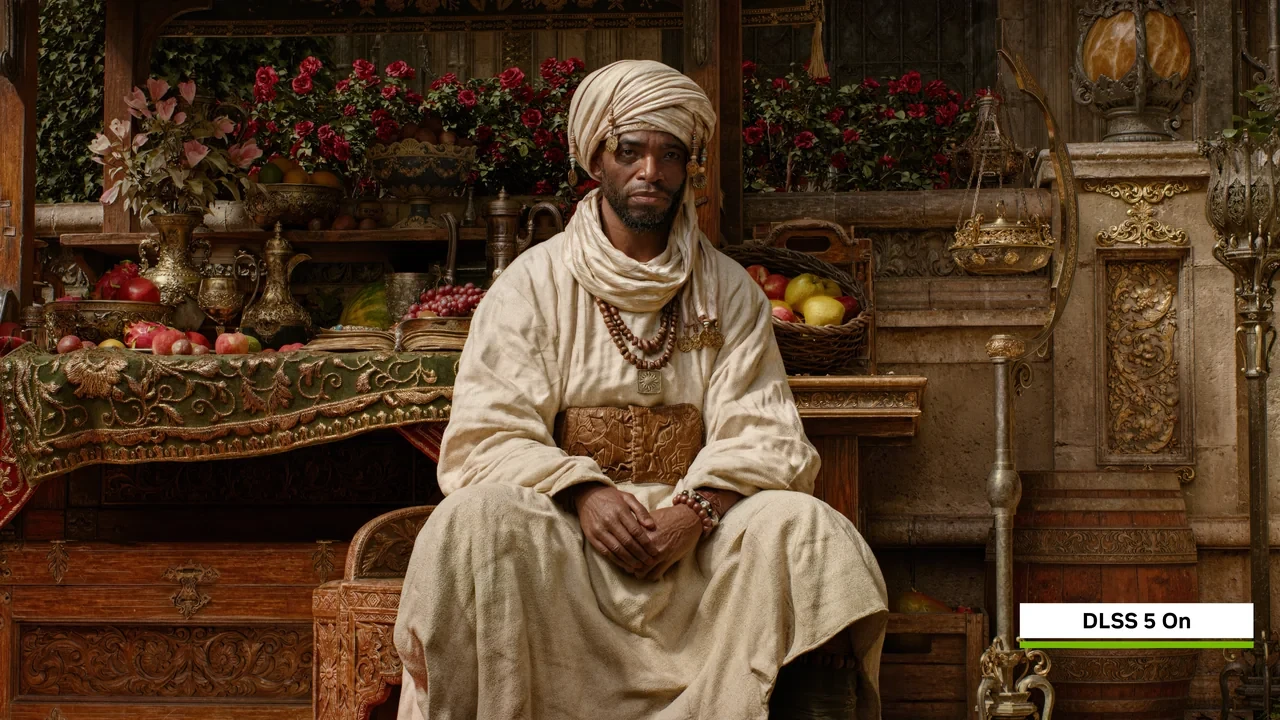
No public NVIDIA document confirms a DLSS 5 feature release for the GeForce RTX 2060. Claims from third-party coverage, forums, or community previews remain speculation until NVIDIA names the card.
The measured 1080p baseline sits near 40 FPS
Turing introduced Tensor Cores and exposed them through the first DLSS SDK. DLSS 4.5 still runs on that tensor pipeline and remains subject to the card’s raster throughput, 6 GB VRAM limit, shader performance, and chosen output resolution.
Notebookcheck reports 40.8 FPS in Control at 1920×1080 with the High Quality and High Ray Tracing Preset in DX12. Red Dead Redemption 2 averages 43.6 FPS at 1920×1080 on the ultra preset. These are the only measured FPS values used here; nothing is inferred for another title, preset, or resolution.
DLSS 4.5 Quality usually renders at about 66 percent of the output resolution and can improve these results when the GPU is the bottleneck. It cannot add memory to the 6 GB GDDR6 buffer or increase the card’s 1920 CUDA cores. CPU, geometry, or ray-tracing bottlenecks will also reduce the upscaler’s share of total frame time.
| Game | Resolution | Settings preset | Average FPS (raster baseline) | Source |
|---|---|---|---|---|
| Control | 1920×1080 | High Quality Preset and High Ray Tracing Preset (DX12) | 40.8 | Notebookcheck RTX 2060 desktop page |
| Red Dead Redemption 2 | 1920×1080 | Ultra preset | 43.6 | Notebookcheck RTX 2060 desktop page |
Turing lacks the throughput of Ada and Blackwell
The TU106-based RTX 2060 has 1920 CUDA cores, 240 Tensor Cores, 30 RT cores, and a 192-bit memory bus. Its Tensor Cores support the INT8 and FP16 paths used by the original DLSS and DLSS 4.5 inference. Ada Lovelace and later designs add sparsity, FP8, and more Tensor Core throughput, so new DLSS features are evaluated per architecture rather than enabled universally.
Ray Reconstruction moves denoising work from shader cores to Tensor Cores. Turing can run the model, but its lower absolute tensor throughput leaves less headroom than Ada or Blackwell.
The 192-bit bus and 6 GB of GDDR6 also limit ray-traced geometry, high-resolution shadow cascades, and G-buffer traffic. DLSS reduces pixel cost, not available bandwidth, so VRAM still needs a conservative budget.
A shipping RTX 2060 build has a defined DLSS 4.5 surface
Streamline exposes SLWrapper as the plugin loader, the DLSS_G mod for Super Resolution, and the DLSSRR mod for Ray Reconstruction. The runtime returns a feature version, supported presets such as Performance, Balanced, Quality, and Ultra Performance where available, plus Ray Reconstruction eligibility. The plugin consumes color, depth, and motion vectors before the engine composites its upscaled output into the back buffer. The GeForce 20 series reference provides the wider product context.
The integration contract is shared across supported platforms, but RTX 20 performance will not match RTX 40 or RTX 50. Internal render scales, sharpening parameters, and the Ray Reconstruction model can remain the same while the actual frame-rate gain changes with the GPU.
Frame Generation is absent because the RTX 2060 does not expose the optical-flow accelerator in the form required by newer SDK paths. Streamline can detect the missing feature and fall back to upscaling. Store copy should not promise generated frames on this card, and the same caution applies to DLSS 5 until NVIDIA publishes support.
| DLSS 4.5 feature | Available on GeForce RTX 2060 | Engine integration path | Notes |
|---|---|---|---|
| Super Resolution (upscaling) | Yes, supported | Streamline DLSS_G mod | Performance, Balanced, Quality, Ultra Performance presets available where the engine exposes them |
| Ray Reconstruction (denoiser) | Yes, supported | Streamline DLSSRR mod | Replaces hand-written denoisers in titles that opt in |
| Frame Generation | Not supported on RTX 20 | n/a | Requires an architecture that exposes the optical flow accelerator and an SDK path that supports it |
| DLSS 5 (next-generation feature drop) | No official support has been announced | n/a | Future support remains unknown; do not depend on it |
Plan as if DLSS 5 will not arrive
No official DLSS 5 launch support, feature list, release date, preset, or performance result has been announced for this GPU. RTX 40 or RTX 50 behavior cannot be transferred to RTX 20 silicon.
For a current production cycle, treat DLSS 5 as unavailable on the GeForce RTX 2060. Design the renderer so a future supported mode could be enabled through configuration rather than a code rewrite, but do not make release plans depend on it.
Keep the renderer independent of one DLSS version
Make these choices early when targeting the GeForce RTX 2060:
- Query Streamline for the active version and feature tags before building the settings menu. Hide any option whose tag is missing.
- Keep the upscaler and denoiser as plugin choices rather than hard-coded paths. A scene that uses DLSS 4.5 on a 2060 should accept a newer supported package on newer hardware without content changes.
- Render motion vectors at consistent precision and bit depth across DLSS versions. Temporal reconstruction is sensitive to vector quality, and rebuilding the motion pass later is expensive.
- Profile DLSS Quality on RTX 20 hardware before fixing the asset budget. The 40.8 FPS Control and 43.6 FPS Red Dead Redemption 2 results are reference points, not substitutes for measuring the project’s own bottleneck.
- Choose the Ray Reconstruction denoiser early. A mid-production switch invalidates screenshots, bug reports, and lighting presets.
These decisions do not require DLSS 5. If support ever arrives, they turn it into a configuration update instead of a renderer rebuild.
1080p is the sensible output target
The RTX 2060’s 6 GB of VRAM, 192-bit bus, and shader throughput suit 1920×1080. The measured Control and Red Dead Redemption 2 averages of 40.8 and 43.6 FPS both use that resolution. DLSS 4.5 Quality renders internally at roughly 1280×720 and reconstructs to 1920×1080, lowering the pixel workload when the GPU is the limiting factor.
The source does not provide a DLSS-on result, so no exact uplift can be claimed. Measure it in a representative shipping scene and treat the two native values as reference points only.
| DLSS 4.5 preset at 1920×1080 output | Approximate internal render scale | Behavior on a 40.8 FPS ray-traced baseline | Behavior on a 43.6 FPS raster-heavy baseline |
|---|---|---|---|
| Quality | ~66 percent (1280×720 internal) | Lifts the average frame rate meaningfully when the GPU is the binding cost; the exact figure depends on the per-project shader and RT cost | Lifts the average frame rate meaningfully when the GPU is the binding cost; the exact figure depends on the per-project shader cost |
| Balanced | ~58 percent (1152×648 internal) | More headroom than Quality; the visual cost grows with motion complexity and ray-tracing density | More headroom than Quality; the visual cost grows with material complexity and shadow density |
| Performance | ~50 percent (960×540 internal) | Maximum headroom of the four standard presets; the upscaler has to reconstruct more pixels per frame | Maximum headroom of the four standard presets; the upscaler has to reconstruct more pixels per frame |
| Ultra Performance | ~33 percent (640×360 internal) | Best reserved for 4K output targets; the visual cost at 1080p output is high | Best reserved for 4K output targets; the visual cost at 1080p output is high |
Capture these results before shipping
For a 2026 build targeting the GeForce RTX 2060, the minimum measurements should include:
- Native 1920×1080 average frame rate on the project’s heaviest scene, with the production preset locked.
- DLSS 4.5 Quality average frame rate on the same scene, same preset, same camera path.
- DLSS 4.5 Balanced average frame rate on the same scene, same preset, same camera path.
- Frame-time variance, not just average, on the same camera path, because the upscaler interacts with frame pacing in a way that an average number hides.
- VRAM headroom on the longest level, with the upscaler active, because the upscaler does not reduce the resident texture set.
The 40.8 FPS Control and 43.6 FPS Red Dead Redemption 2 results can flag an obviously abnormal local run, but they are not targets to copy. A much slower result in a comparable scene may point to a project bottleneck that upscaling cannot fix.
An absent support statement is a release constraint
DLSS package notes, Streamline release notes, and engine-plugin readme files define the production contract. If they do not list a feature for an architecture, do not ship on the assumption that it will arrive later. Use DLSS 4.5 and leave DLSS 5 as an optional future configuration.
The fallback also covers players who never update drivers, disable automatic updates, or use a version pinned by studio IT. The same path should handle both a missing DLSS 5 feature and a driver older than any eventual release.
Do not spend a production quarter on an unannounced mode
A third-party launcher could expose DLSS 5, a build farm might enable it by mistake, or a community post may promise a later release. The renderer should report the active feature set honestly and never show a control the GPU cannot run.
For a small studio, a quarter spent integrating unannounced RTX 20 support is hard to justify. The same time spent refining DLSS 4.5 quality and choosing the denoiser produces a measurable shipping improvement.
Keep the decision tied to this exact GPU
A neighboring RTX 20 model, including the SUPER variant, needs its own measurements and support check. Results should not be transferred between them merely because the product names are close.
Production staffing affects how much QA coverage a studio can afford, but it does not change the RTX 2060 baseline. Evaluate neighboring GPUs separately rather than borrowing this card’s measurements.
The sources cover architecture and measured performance
The GeForce 20 series reference places the RTX 2060 and its TU106 die within the Turing family. Notebookcheck supplies the exact desktop measurements: 40.8 FPS in Control and 43.6 FPS in Red Dead Redemption 2. The architecture reference should not be used as a benchmark source, and the benchmark page does not define NVIDIA’s future support policy.
Frequently asked questions
Does the GeForce RTX 2060 support DLSS 4.5 today?
Yes. Streamline and its engine plugins expose DLSS 4.5 Super Resolution and Ray Reconstruction on the card. A studio can ship those features without relying on a future update.
Does the GeForce RTX 2060 support DLSS 5?
No official launch support has been announced, and future support remains unknown. Do not depend on DLSS 5 until NVIDIA names the GPU.
What is the practical difference between DLSS 4.5 and DLSS 5 for an RTX 2060 player?
DLSS 4.5 is supported and available now. DLSS 5 has not been tied to the RTX 2060, so it remains a future possibility rather than a runtime option.
Can Frame Generation run on a GeForce RTX 2060?
No. Turing does not expose the optical-flow accelerator required by the DLSS SDK. A correct Streamline integration detects the missing tag and hides Frame Generation.
What is a realistic 1920×1080 average frame rate on this card?
Notebookcheck reports 40.8 FPS in Control at 1920×1080 with the High Quality and High Ray Tracing Preset in DX12, plus 43.6 FPS in Red Dead Redemption 2 at 1920×1080 on ultra. Those are the only verified FPS values used here.
Which DLSS 4.5 preset is the right default for a 1920×1080 ship target?
Quality is the usual 1920×1080 default because it avoids overly aggressive reconstruction. Balanced can help ray-tracing-heavy scenes, while Performance suits workloads that need more GPU relief. Ultra Performance is normally reserved for 4K output rather than 1080p.
How should a studio handle a future DLSS 5 release on RTX 20 hardware?
Read Streamline feature tags at runtime and expose only matching settings. That lets a future supported release become a configuration update rather than a code change. Use the same pattern for Frame Generation and Ray Reconstruction.
Is it safe to promise DLSS 5 in a store page for a GeForce RTX 2060 build?
No. That would imply official support that does not exist and create refund and trust risks. List DLSS 4.5 Super Resolution and Ray Reconstruction instead.
Does DLSS 4.5 reduce VRAM pressure on a 6 GB card?
No. Upscaling reduces pixel work, not the resident texture set. The 6 GB card must still hold the selected textures regardless of DLSS preset.
What is the single most important decision a studio can make for the RTX 20 path?
Choose the denoiser early. Switching between a hand-written implementation and Ray Reconstruction can invalidate screenshots, bug reports, and lighting presets. Keep the upscaler on a stable SDK path so later updates arrive as configuration changes instead of rewrites.




Leave a Reply